Accessible PDF design, remediation & testing

Open up your reports, strategies and policies to the broadest possible audience, with user-friendly design in an accessible PDF format that helps more people access the information you’ve worked so hard to produce.

Your PDFs should be readable by everyone. Including users who rely on assistive technology doesn’t just help you meet your legal and ethical responsibilities, it makes good business sense.

What are accessible PDFs?

Accessible PDFs are designed and built so they work properly with assistive technology like screen readers and screen magnifiers. That means the content appears in a logical order, headings and links can be navigated, images are described, and the document can be reflowed and resized without breaking.

How accessible are my PDFs?

When people describe a PDF as ‘accessible’, they can mean anything from ‘it opens’ to ‘it has been thoroughly tested with real users’. Often, PDFs that are described as accessible have simply passed Acrobat’s in-built checker – which only picks up a fraction of issues and so simply isn’t enough.

  • I design accessibility into documents, checking and improving the structure, reading order, headings and links. And presenting the content using accessible colour contrasts and type sizes that help support readers with visual impairments and techniques to reduce cognitive load.
  • I remediate each PDF, adjusting tags and other behind-the-scenes elements so the PDF can be navigated by screen readers.
  • I test using Acrobat’s in-built checker and then also with Acrobat Reflow, PAC and with NVDA, a widely-used screen reader, to confirm it works in practice.

I don’t promise to achieve a standards-compliant PDF. Where strict standards such as PDF/UA or WCAG conflict with a better user experience in today’s software, I prioritise what will actually help your readers, and I explain those decisions clearly.

How I can support your accessible PDF projects

Accessible PDFs don’t have to be an all-or-nothing process. I work flexibly with designers, agencies, and organisations, supporting as much or as little of the workflow as you need.

Whether you’re starting from an existing document or building accessibility into a new project, I can step in at any stage – from design guidance through to remediation and testing.

If you’d like to understand more about the full accessible PDF project process including budget and time considerations, you can read more in my blog post: How we can work together on accessible PDFs.

About PDF accessibility

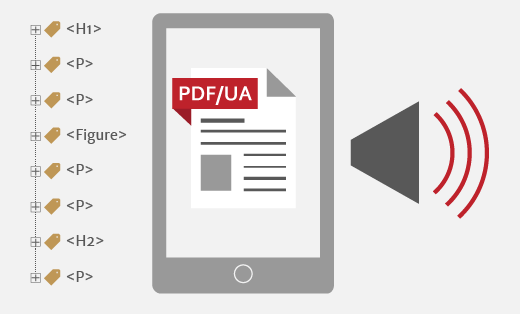
An accessible PDF is shown on a screen. To the left is a tag tree and to the right is a megaphone indicating the PDF being read aloud

Design accessibility standards: design beyond aesthetics

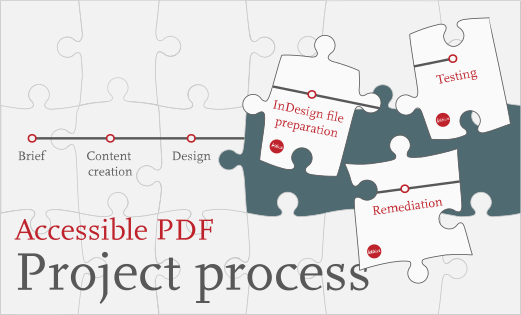
A jigsaw puzzle of a project production process diagram has three lettica-branded pieces labelled Indesign file preparation, remediation and testing.

How we can work together on accessible PDFs

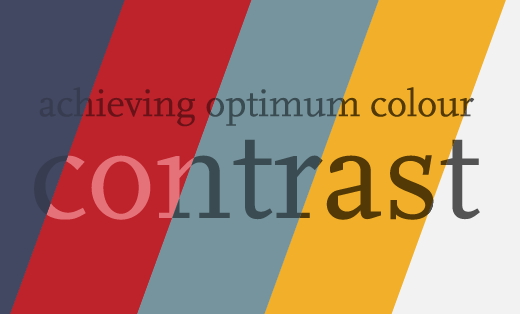
'Achieving optimum colour contrast' written with increasing contrast to the background

Colour contrast for accessibility

Accessible PDF services

Accessible design

If you’re planning a new report, strategy, policy or information leaflet, I can help you design accessibility in from the start. I check and resolve any problems with the content structure, before presenting the information in a logical reading order, using colours that meet contrast standards, minimizing cognitive load, and using an appropriate type size for the target audience.

I can take on the design work myself, or work alongside your existing designer or agency, identifying potential accessibility issues in draft designs so you can find brand‑appropriate solutions before sign‑off.

InDesign file preparation

If your designer works in InDesign, I can prepare their files so they are ready to export as accessible PDFs.

This work focuses on the more technical and less visual aspects of file set-up, including content stacking order, text flow order, setting up hyperlinks, applying alt text and mapping tags for export.

Good file preparation makes it possible to create an accessible PDF and reduces the time needed for remediation later.

Remediation & testing

Most PDFs need additional behind‑the‑scenes work after export to be accessible. This focuses on fixing tagging omissions or errors from the originating software, addressing issues picked up by automated checkers, and making checks that cannot be handled by automated checkers.

After remediation, I manually test the PDF using Acrobat’s tools, PAC24 (programmatic checker for machine-verifiable accessibility criteria) and NVDA (a market-leading screen reader) to confirm that people can move through the content in a logical way, understand the structure and access all key information.

Have questions? Ready to get started?

If you’d like to know how accessible your PDFs are at the moment, I offer a short review of one key document (for example your latest annual report or strategy). I’ll highlight the main issues in plain English and suggest practical next steps for your team. If you’d like to book a review, or to talk about an upcoming publication, please get in touch.